Joint ventures, consortiums and multi-company project teams often need to review the same technical drawings while each organisation keeps its own internal systems, permissions and document processes. Xenmark can provide a neutral browser-based review layer around the issued PDF without requiring one company to open its internal CAD, CDE or project platform to every partner.
It applies across sectors: what defines the team is the working relationship between organisations, not the industry.
Why do cross-company teams need a neutral drawing review workspace?
Different organisations rarely share the same internal software stack. One partner may use a CDE, another may work in SharePoint, another may have a specialist engineering platform, and an external supplier may receive only PDFs. For a focused drawing review, forcing everyone into one company’s internal environment can add access and governance friction.
Xenmark gives the Project Manager one shared review workspace for the issued PDF while each company keeps its own systems for formal document control, design authoring and contractual records.
How can several companies comment without creating competing markup files?
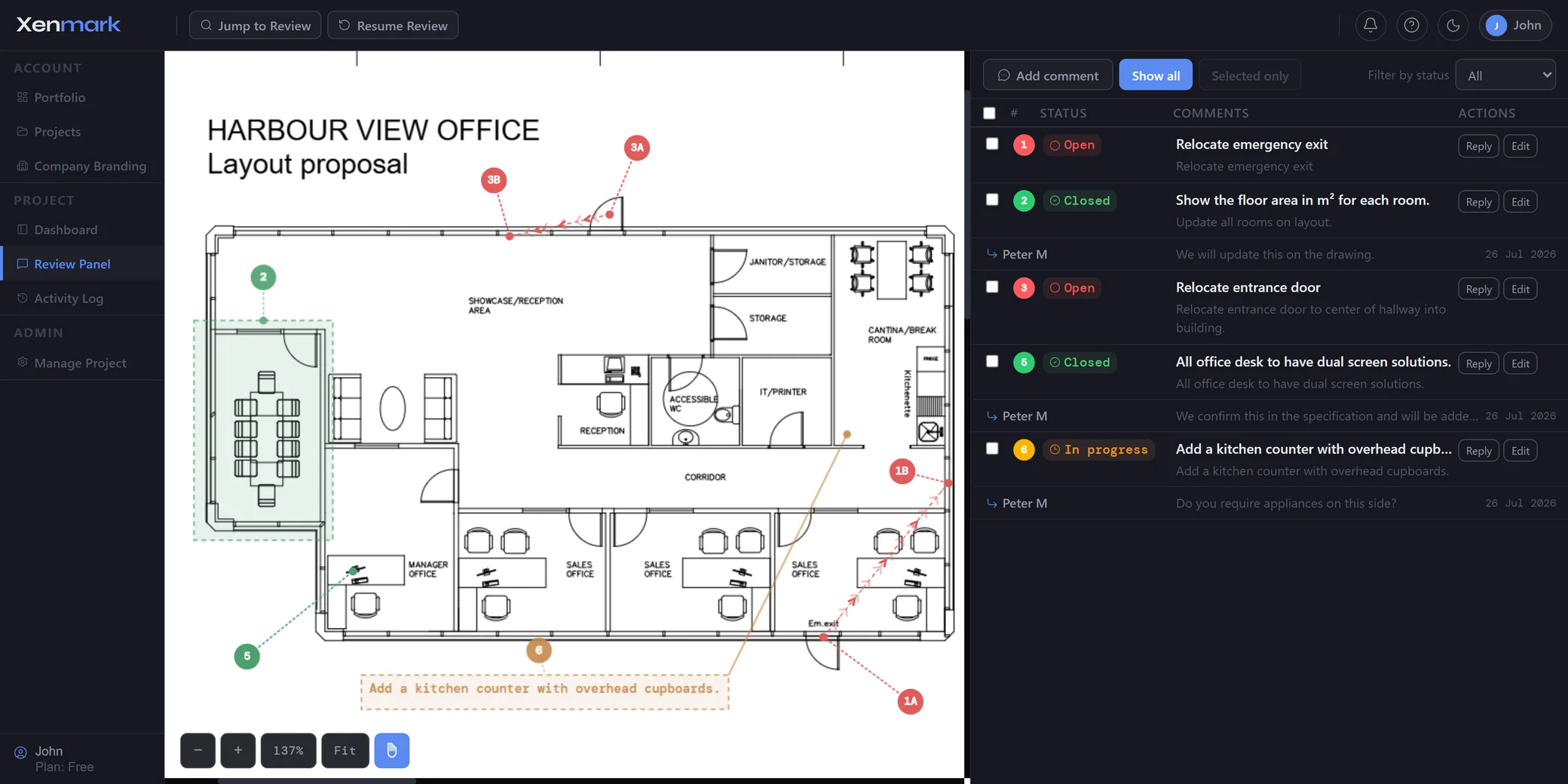
Invite the relevant reviewers to the same drawing. Each point gets a numbered location, its own reply thread and a status. Partner A, Partner B and a specialist supplier can therefore review the same PDF instead of emailing separate markups to a coordinator.
When two organisations raise related concerns in the same area, the project team can see that context while the review is happening rather than discovering duplicates after the files have already been returned.
How should permissions work when partners have different responsibilities?
Use Editor access for people who should create new comments and Participant access for people who mainly need to read, reply and export. That gives the Project Manager a simple review boundary without giving every organisation identical capabilities.
This is not a substitute for enterprise identity, a full project security model or contractual access control. It is a focused permission model for the Xenmark review workspace, while every partner continues to govern its internal systems separately.
What happens when one partner issues a revised drawing?
Upload the new issued PDF as the next revision of the same drawing. Earlier comments remain tied to the earlier issue, allowing the cross-company team to see what was raised before checking the new revision.
Xenmark does not transfer old comments automatically, determine which company fulfilled an obligation or decide that the technical point is resolved. The project team still makes those judgements according to its agreed responsibilities.
How does Xenmark coexist with each company’s CDE or document system?
Each company can continue using its required CDE, engineering repository, SharePoint site or document register. Xenmark does not need to become the authoritative repository for the whole joint venture.
Where required, the reviewed PDF and exported comment record can be returned to the formal project record. This keeps the collaborative review lightweight while preserving the governance structure already agreed by the partners.
How can a joint team keep the technical response attached to the point?
The reply thread stays with the numbered comment on the drawing. A partner can ask for a clarification, the responsible organisation can answer, and the discussion remains spatially anchored.
That is useful when the same issue passes between organisations that use different terminology or internal ticketing systems. The drawing location and comment number become the shared reference even if each partner files the result differently afterward.
How can the team export a common review record?
Export the marked-up comment-plan PDF and matching Excel register. The shared numbering gives all participants a common reference for review meetings and action follow-up even if they later store the outputs in different internal systems.
The export is a collaborative review record. It is not a substitute for contractual minutes, formal transmittals, technical approval or the official joint-venture document register.
Which projects fit a cross-company drawing review?
Joint ventures, consortiums, owner-contractor integrated teams and projects with several external design partners are good examples.
Xenmark is for reviewing and coordinating issued PDF drawings. It does not replace the CAD, BIM, engineering or design-authoring software used to create the design, and it does not perform formal technical, contractual, statutory or regulatory approval.