Contractors and builders sit between issued design information, specialist trades, suppliers and what must actually be built. Xenmark gives those teams a visual review workspace for issued PDFs when the job is to identify an interface, ask a drawing question and check a later revision.
This page is for general contractors and specialty and trade contractors.
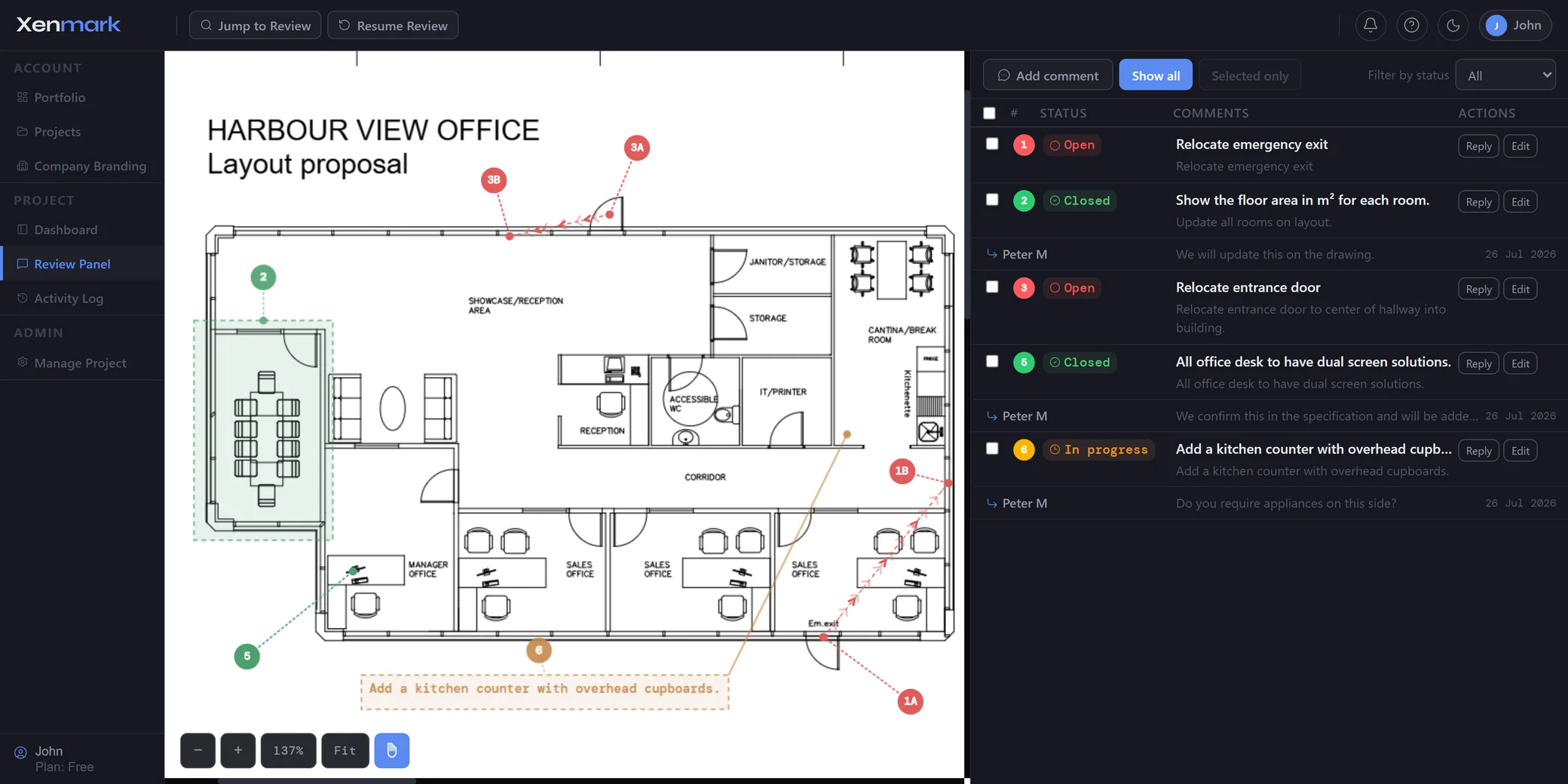
How can contractors review a drawing with several trades at once?
Upload the issued PDF and invite the relevant reviewers to comment on the same sheet. A trade can place a numbered comment on the exact penetration, equipment location, room or interface it needs to discuss rather than returning a separate marked-up copy.
That gives the contractor a shared view of the review and makes it easier to see when several trades are commenting on the same area.
What should a trade contractor mark on the drawing?
Mark the exact location where the trade has a question, conflict, requirement or requested clarification. A numbered comment can identify the interface and explain what the contractor needs the main contractor or designer to review.
Typical subjects include service routes, penetrations, access clearances, equipment locations, support zones, builder’s work openings and interfaces with another trade. The markup is review input, not an approved design change.
How can design questions stay tied to the drawing?
Use the comment thread attached to the numbered pin. Designers and trades can answer the specific point without separating the written response from the drawing location that gives it meaning.
This is useful for collaborative review, but it should not be confused with a contractual RFI system. If the project requires a formal RFI, submittal or change-control workflow, that formal process continues in the designated project system.
Can several trades review the same drawing without creating duplicate files?
Yes. Multiple invited reviewers can work from the same issued PDF. The contractor can see where different trades are raising comments in the same area and decide whether the issues are related.
Xenmark does not perform BIM clash detection or automated coordination. It supports the human review of the PDF after the relevant drawing or model view has been issued.
How does Xenmark help with revised construction drawings?
When the design team issues a revised PDF, add it as the next revision in the same drawing slot. The earlier review remains on the earlier issue, allowing the contractor to refer back to what was raised before checking the new drawing.
The contractor or responsible reviewer decides whether the new revision answers the earlier point. Xenmark does not automatically close comments or infer that the design has changed correctly.
Can contractors use Xenmark with subcontractors and suppliers?
Yes. Subcontractors, fabricators, suppliers and consultants can be invited to the relevant review. Editors can create comments, while Participants can reply and export without creating new points.
This lets the contractor shape the review around the job at hand. A specialist may only need to answer a defined interface question, while another trade may need to review the entire sheet.
Invited reviewers join free and do not need their own paid plan.
When should a contractor use the project’s formal RFI or submittal process?
Use the formal project process whenever the question has contractual, programme, cost or approval consequences that the project’s RFI or submittal system is designed to control.
Xenmark is the visual review layer. It can make the issue clearer before or alongside a formal process, but it should not be presented as a substitute for the project’s required contractual workflow.
How can the contractor keep an exportable comment record?
Export a marked-up PDF and matching Excel register. The same numbering appears in both outputs, which is useful when the project team wants a list for coordination meetings but still needs to see where every point sits on the drawing.
The export is a collaborative review record. It does not replace the project’s contractual correspondence, formal submittal register, drawing register or approved-for-construction status.
How can a contractor avoid treating review status as construction approval?
A comment marked complete in Xenmark only means the review discussion has reached the status the team assigned to it. It does not make a drawing approved for construction, authorize a variation or replace any contractual acceptance required by the project.
The contractor should continue to use the formal document status and approval process already defined for the job. Xenmark can make the technical conversation easier to follow before that decision is recorded.
That separation is especially important when several trades are involved and a visually resolved comment could still have commercial, programme or design implications outside the review itself.
How can trade contractors use the revision history during coordination?
When a designer or coordinator issues a new drawing, the trade can look back at the earlier issue and the comments it raised before checking the new PDF. That is particularly useful when several small interface requests were made in one round and the trade needs to verify them individually.
The earlier comments stay on the earlier revision, preserving what the trade actually saw and asked at that time. Any new issue on the new sheet should be raised separately.
This creates a clean evidence trail for the technical review without implying that Xenmark is the contractual record of acceptance. If the project requires a formal response status, that status should still be recorded through the project’s agreed system.
Xenmark is for reviewing and coordinating issued PDF drawings. It does not replace the CAD, BIM, engineering or design-authoring software used to create the design, and it does not perform formal technical, contractual, statutory or regulatory approval.