A new drawing revision should move the review forward, not create another disconnected trail of PDFs, spreadsheets and email. Xenmark keeps each revision in the same drawing slot while preserving comments on the issue where they were originally raised.
The reviewer still decides whether the new revision answers an earlier point.
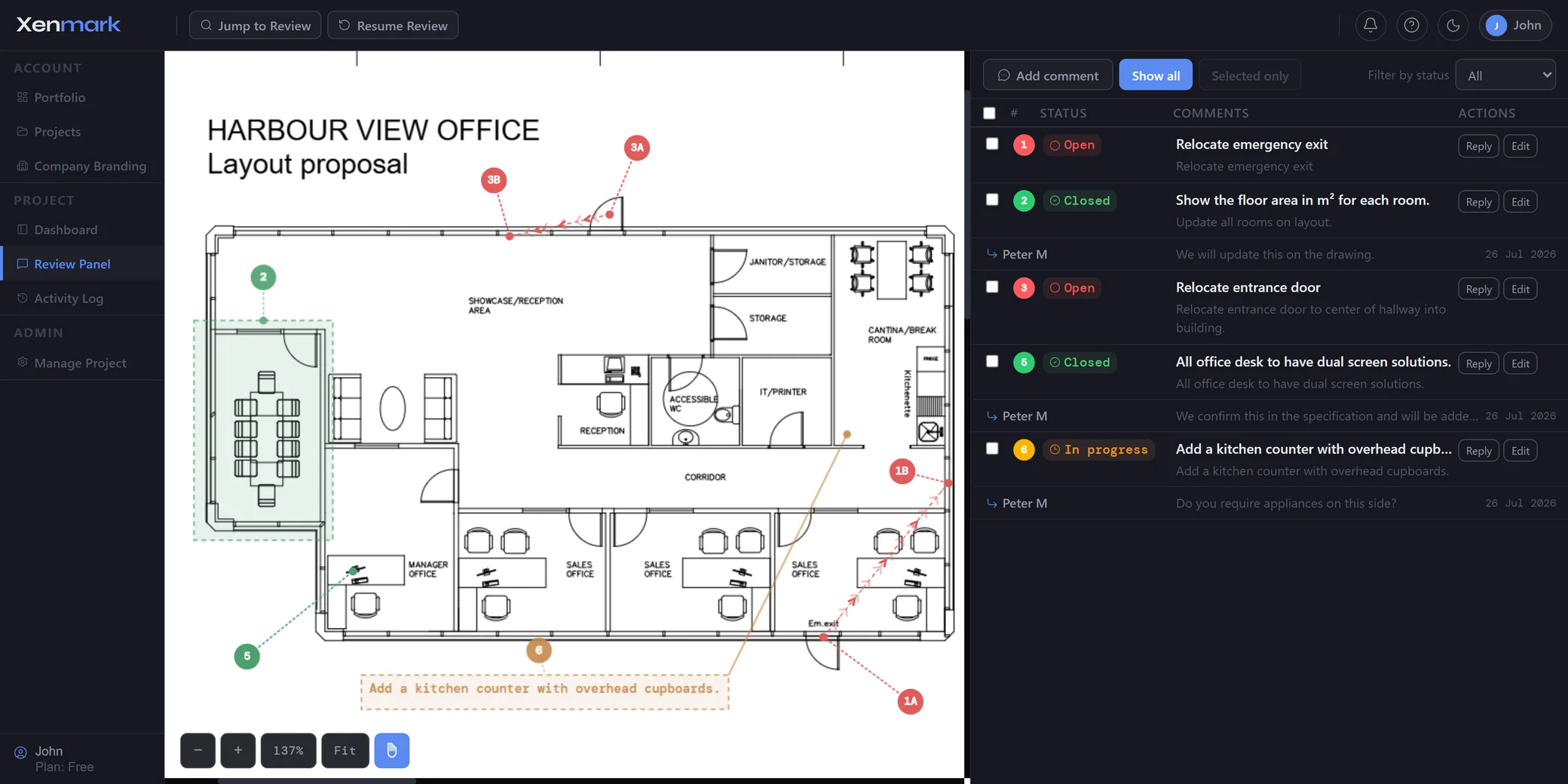
What happens when a revised PDF is uploaded?
The new PDF becomes another revision of the same drawing. The earlier revision remains available with its own comments and review history.
That creates continuity without pretending that old markup can simply be pasted onto changed geometry.
Comments from Rev A stay on Rev A. New comments raised while reviewing Rev B belong to Rev B.
Do old comments automatically move onto the new drawing?
No. Xenmark does not automatically transplant old comments to the new PDF.
A drawing may have changed enough that the same coordinate no longer represents the same physical thing. Automatically moving comments could therefore create misleading context.
Instead, reviewers use the previous revision and its history as a reference while checking the new one.
This is a review-history workflow, not automatic drawing comparison.
Does Xenmark automatically decide whether a revision fixed a comment?
No. The reviewer makes that judgement.
Xenmark can show the earlier comment, replies, status and revision history, but software cannot safely assume that a new drawing has technically satisfied the original concern.
A reviewer should inspect the new revision, compare it with the earlier request and decide whether the point is addressed, partly addressed or still requires clarification.
That boundary is central to the revision-review page.
How should a revision review begin?
Start with the earlier review history before scanning the new PDF for unrelated issues.
A practical sequence is:
- open the new revision;
- refer to the earlier revision and its comments;
- check each relevant previous point against the new drawing;
- record any necessary response or status change in the review workflow;
- raise new comments on the new revision for genuinely new findings;
- continue until the current revision has been reviewed.
This avoids treating every revision as a blank-slate review.
How do several reviewers work across different revisions?
They use the same drawing history rather than maintaining personal folders of PDFs. An external client may have raised one comment, an internal reviewer another, and a supplier may answer later.
When the revised drawing is issued, those reviewers can return to the same project and use the prior history as context.
Project roles still control what each person can add or change.
How is revision history different from comment status?
Revision history answers which drawing issue the review item belongs to.
Comment status answers where the review item currently sits in the team’s workflow.
They work together but should not be conflated. A Closed comment on Rev A remains a comment from Rev A. A new revision does not rewrite the historical record.
Can Xenmark visually compare two revisions?
No. Xenmark does not offer an automated visual diff, overlay or CAD comparison of revisions.
Xenmark’s revision workflow is based on storing the revisions and preserving their review context. Reviewers use that history while manually checking the new drawing.
What can you export after several revision rounds?
Each review can produce the Comment Plan PDF and Excel register, and the closed project can produce the full archive bundle for local storage.
That makes the history portable when the review moves into another project or document system.
The activity log can also help show when revisions and review actions occurred.
See Drawing Review Handover & Project Archive.
How does revision review connect to approval?
A revised drawing may be issued because an earlier review requested changes. Before the drawing moves to a formal acceptance or approval step, reviewers can check the revision against the earlier points.
That collaborative review supports the decision; it is not the formal approval itself.
See Drawing Approval.
How do you keep a revision review from turning into version hunting?
Use one drawing slot as the continuity point. Each newly issued PDF becomes another revision in that slot instead of another unrelated file with its own disconnected comment sheet.
Reviewers should identify drawings consistently using the document number and revision information already used by the project. Xenmark then keeps the review context together while the organisation’s formal document-control system remains the authority for official issue status.
This distinction prevents Xenmark from becoming a second uncontrolled drawing register while still solving the practical review problem.
What should you do with an unresolved point after a new revision arrives?
Do not copy the old comment onto the new sheet merely to make it visible. First inspect the revised drawing and use the earlier comment as the reference for what was requested.
If the issue still exists, the reviewer can continue the discussion where appropriate and raise a new current-revision comment when a new spatial review point is needed. If the revision addressed the issue, the reviewer records that outcome according to the team’s workflow.
The history should explain the sequence rather than blur multiple revisions into one layer.
Why is revision context valuable months later?
A drawing often shows what changed without explaining why. The earlier review may contain the client request, coordination concern, supplier question or technical clarification that led to the change.
Keeping that context with the original revision helps somebody returning later understand the development of the drawing without searching old inboxes and manually matching spreadsheet rows to PDFs.